

Knowledge Center
Image Sensor Guide for Machine Vision
Learn how sensor size, pixel size, resolution, and shutter technology affect image quality, field of view, and lens compatibility. This guide helps engineers select the right image sensor for machine vision and industrial imaging systems.
✔ Sensor Size
✔ Pixel Resolution
✔ Global Shutter
✔ Lens Matching
What Is an Image Sensor?
An image sensor is a semiconductor device that converts incoming light into digital image data. It is the core component of every machine vision camera, determining how accurately an imaging system captures detail, color, brightness, and motion.
In industrial machine vision, an image sensor functions much like the human retina. Millions of tiny pixels collect photons and convert them into electrical signals, which are then processed into digital images for inspection, measurement, identification, or automation.
Today, CMOS image sensors are the dominant choice for industrial imaging because they provide high-speed readout, low power consumption, excellent image quality, and support for advanced features such as global shutter and high dynamic range (HDR).

Sensor Function
Converts incoming light into digital image data for further processing and analysis.

Pixel Array
Millions of pixels capture image information such as brightness, color, and intensity.

CMOS Technology
Provides high-speed readout, low power consumption, and excellent image quality.

Industrial Vision
Widely used in machine vision, AI, robotics, intelligent transportation, medical imaging, and more.
Did You Know?
Most modern industrial cameras use CMOS image sensors because they offer:
Before selecting a sensor, it is important to understand how sensor size affects field of view and lens compatibility.
Continue reading the Sensor Size Explained section below, or explore the FOV Calculator and Lens Selection Guide for practical lens matching.
How Image Sensors Work
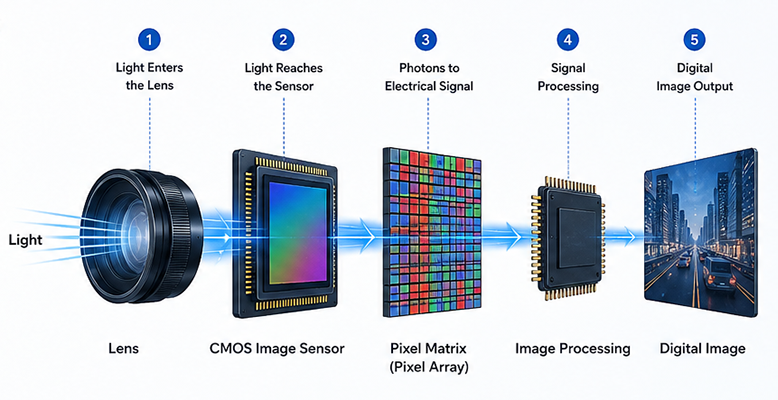
An image sensor converts incoming light into digital image data through a series of precise electronic processes. Every captured image begins when light passes through the lens and reaches the sensor surface, where millions of pixels work simultaneously to record visual information.
Each pixel absorbs photons and converts them into electrical charges. These analog signals are then amplified, digitized, and processed by the camera's image processing system to generate a complete digital image suitable for machine vision analysis.
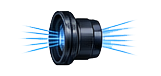
Light Collection
The lens focuses incoming light onto the image sensor.
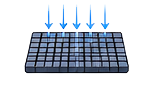
Photon-to-Electron Conversion
Each pixel converts photons into electrical charges through the photoelectric effect.
Signal Amplification
Tiny electrical signals are amplified to improve image quality and sensitivity.
Analog-to-Digital Conversion (ADC)
Analog signals are converted into digital values that can be processed by the camera.
Image Processing
The camera performs image correction, noise reduction, and color processing before generating the final digital image.
Did You Know?
Image sensors perform millions of photon-to-electron conversions every second, allowing industrial cameras to capture high-speed images with exceptional accuracy.
Image Acquisition Process
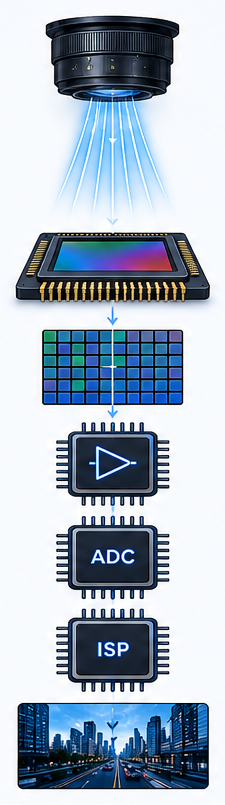
Lens
Focuses light from the scene onto the sensor.
Incoming Light
Light enters the camera through the lens.
CMOS Image Sensor
Light reaches the sensor surface where millions of pixels are located.
Pixel Array
Each pixel converts photons into electrical charges.
Signal Amplifier
Weak electrical signals are amplified for better quality.
ADC
Analog signals are converted into digital data.
Image Processor (ISP)
Image correction, noise reduction, white balance, and other processing are applied.
Digital Image
The final high-quality digital image is ready for analysis and applications.
Process Timeline

Capture
Light

Convert
Photons

Amplify
Signal

Digitize
(ADC)

Process
(Image ISP)

Output
Digital Image
Why Image Sensors Matter in Machine Vision
The image sensor is one of the most important components in a machine vision system because it determines how accurately visual information is captured before any software or AI algorithm can process it. Even the most advanced image processing system cannot compensate for poor image data produced by an unsuitable sensor.
Sensor characteristics such as sensor size, pixel size, resolution, dynamic range, frame rate, and shutter type directly influence image quality, measurement accuracy, object detection, and overall system reliability. Selecting the right image sensor is therefore a critical step when designing industrial vision systems.
Whether the application involves automated inspection, robotic guidance, smart traffic, medical imaging, or intelligent security, understanding image sensor fundamentals helps engineers achieve higher accuracy, faster processing, and more reliable performance.
How Sensor Characteristics Affect Machine Vision
Engineering Tip
In industrial imaging, selecting the correct image sensor is just as important as choosing the right industrial lens, since both components work together to determine overall imaging performance. Explore our Lens Selection Guide to learn more.
The Role of Image Sensors in Machine Vision Systems
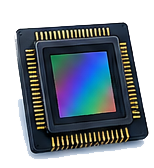
Captures light and converts it into digital signals.
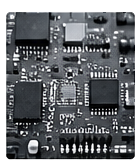
High-quality image data is the foundation of accurate analysis.

AI algorithms extract features, detect defects, and make decisions.

Guides robots, controls processes, and enables automation.
Accurate inspection improves quality, safety, and efficiency.
Key Benefits of Choosing the Right Image Sensor
Captures more detail, true colors, and clearer images for accurate analysis.
Higher resolution and stable signals lead to more precise measurements.
Better SNR and dynamic range ensure consistent detection even in challenging scenes.
Larger pixel size and high sensitivity sensors perform better in low illumination.
High frame rate and global shutter reduce motion blur for fast-moving objects.
The right sensor size ensures optimal field of view and better lens matching.
Typical Applications
Industrial Automation
Robotics Vision
Intelligent Transportation
Security & Surveillance
Medical Imaging
Scientific Imaging
Key Sensor Specifications
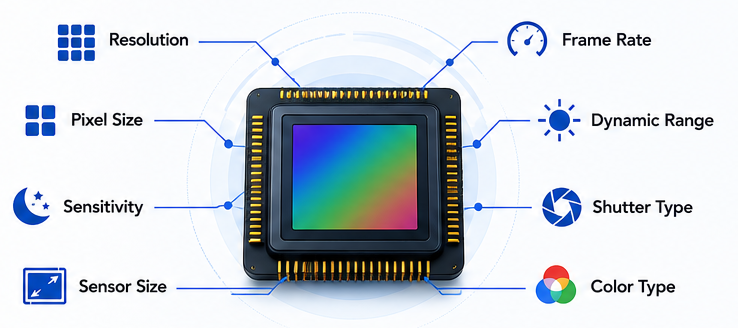
Selecting the right image sensor requires evaluating several key specifications. Each parameter influences image quality, measurement accuracy, imaging speed, and overall system performance. Understanding these characteristics helps engineers match the right sensor with the appropriate industrial lens.
 Sensor Size
 Resolution
 Pixel Size
 Frame Rate
 Dynamic Range
 Sensitivity
 Shutter Type
 Color Type
| Specification | What It Means | Why It Matters | Typical Recommendation | Importance |
|---|---|---|---|---|
| Sensor Size | Physical dimensions of the sensor | Determines field of view and lens compatibility | Match the lens image circle | ★★★★★ |
| Resolution | Number of pixels | Controls image detail and measurement accuracy | Choose based on inspection accuracy | ★★★★★ |
| Pixel Size | Physical size of each pixel | Affects sensitivity and image noise | Larger pixels for low-light applications | ★★★★☆ |
| Frame Rate | Images captured per second | Determines capture speed and performance for moving objects | Higher FPS for moving objects | ★★★★☆ |
| Dynamic Range | Ability to capture bright and dark areas | Preserves details in high-contrast or uneven lighting | Higher DR for high-contrast or outdoor environments | ★★★★☆ |
| Sensitivity | Low-light performance | Improves visibility in dim light and reduces exposure time | Important for dim lighting conditions | ★★★★☆ |
| Shutter Type | Global or rolling shutter | Reduces motion distortion and is critical for high-speed inspection | Global shutter for fast motion applications | ★★★★☆ |
| Color Type | Monochrome or color | Determines whether color information is captured | Mono for precision, color for classification | ★★★☆☆ |
Engineer Tip
When selecting an image sensor, avoid focusing on resolution alone. Sensor size, pixel size, shutter type, and lens compatibility all have a significant impact on final imaging performance.
Sensor Size Explained
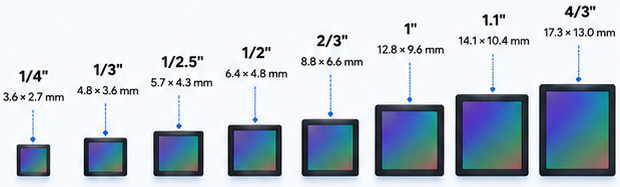
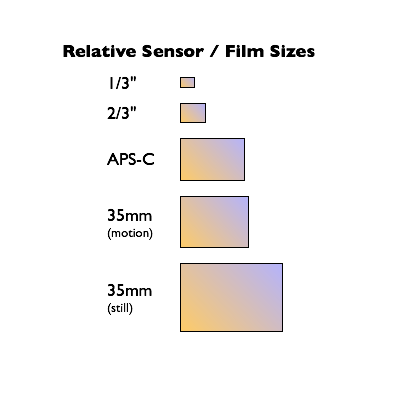
Sensor size refers to the physical dimensions of the active imaging area on an image sensor. It is one of the most important specifications because it directly affects field of view, light collection, image quality, and lens compatibility in machine vision systems.
Larger image sensors generally capture more light, resulting in improved image quality and better performance under challenging lighting conditions. However, larger sensors also require lenses with larger image circles, which typically increases overall system size and cost.
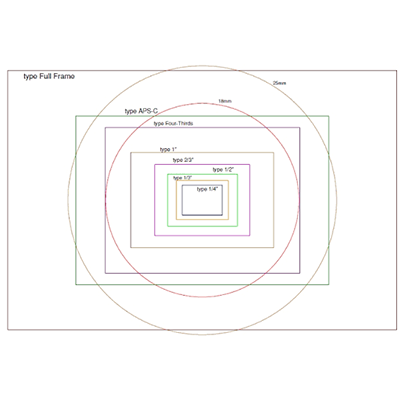
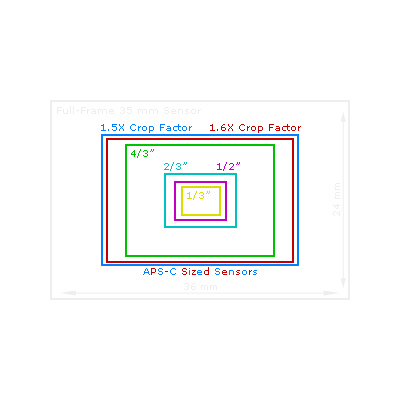
Sensor Size Comparison
 Field of View
↑ Increases
 Lens Size
↑ Increases
 System Cost
↑ Increases
Benefits of Larger Sensors
 Wider Field of View
Capture a larger scene with the same focal length.
 Better Low-Light Performance
Larger sensors collect more light, improving visibility in dark conditions.
 Higher Image Quality
More light and larger photosites reduce noise and deliver clearer images.
 Improved Dynamic Range
Capture more detail in both shadows and highlights.
Trade-Off
Larger sensors provide higher imaging performance, but they also require larger industrial lenses, larger image circles, and generally increase system cost and mechanical size.
 Larger Sensor
 Larger Lens
(Image Circle)
 Higher System
Cost & Size
Common Sensor Formats
| Sensor Format | Active Size (Approx.) | Aspect Ratio | Typical Applications | Key Characteristics |
|---|---|---|---|---|
| 1/4" | 3.6 × 2.7 mm | 4:3 | Embedded vision, compact cameras, IoT devices | Small size, low power, cost-effective |
| 1/3" | 4.8 × 3.6 mm | 4:3 | Security cameras, industrial endoscopes | Popular in many machine vision systems |
| 1/2.5" | 5.7 × 4.3 mm | 4:3 | AI cameras, surveillance, robotics | Good balance of size and performance |
| 1/2" | 6.4 × 4.8 mm | 4:3 | General machine vision, inspection | Widely used in industrial cameras |
| 2/3" | 8.8 × 6.6 mm | 4:3 | Industrial inspection, metrology | Excellent image quality and reliability |
| 1" | 12.8 × 9.6 mm | 4:3 | High-resolution imaging, line scan alternatives | High sensitivity, professional imaging |
| 1.1" | 14.1 × 10.4 mm | 4:3 | Precision measurement, scientific imaging | Large format, high dynamic range |
| 4/3" | 17.3 × 13.0 mm | 4:3 | Scientific cameras, high-end machine vision | Maximum image quality and detail |
Choosing a larger sensor does not automatically improve imaging performance. The sensor size must match the lens image circle, required field of view, working distance, and inspection accuracy to achieve the best results.
 Sensor Size
 Lens
Lens(Image Circle)
 Performance
Pixel Size Explained
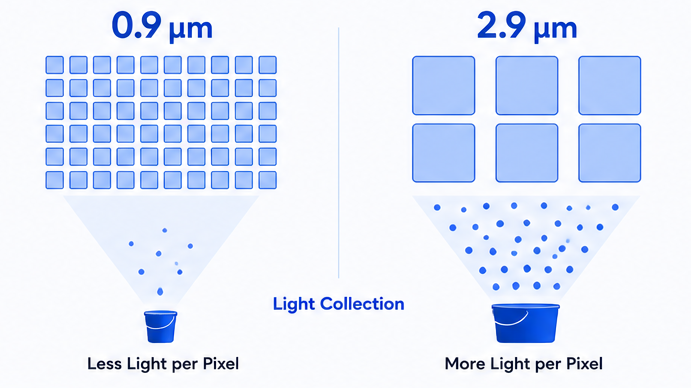
Pixel size refers to the physical size of each pixel on an image sensor, typically measured in micrometers (µm). It determines how much light each pixel can collect, directly affecting sensitivity, noise performance, and low-light imaging quality.
Larger pixels collect more photons, which improves image brightness, reduces noise, and enhances the signal-to-noise ratio (SNR). Smaller pixels enable higher resolutions within the same sensor size but collect less light, which may increase noise, especially in low-light conditions.
Small Pixel vs Large Pixel
Higher Resolution
More pixels fit within the same sensor size.

Less Light Collection
Each pixel captures fewer photons.

Higher Noise
Higher signal-to-noise ratio in low light.

Lower Low-Light Performance
Performance may degrade in dark environments.

Ideal For
Applications requiring high detail and sufficient lighting.
Higher Sensitivity
Collects more light per pixel.
More Light Collection
Each pixel captures more photons.
Lower Noise
Higher signal-to-noise ratio.
Better Low-Light Performance
Maintains clearer images in low light.
Ideal For
Applications requiring high sensitivity and low noise.
Engineer Tip
Choosing the optimal pixel size requires balancing resolution, sensitivity, and noise performance according to lighting conditions and application requirements. There is no one-size-fits-all; the best choice depends on your specific imaging goals.
Resolution vs Pixel Size
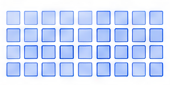
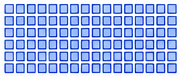
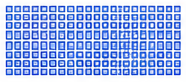
Resolution vs. Pixel Size Trade-off
Image resolution and pixel size are closely related but represent different characteristics of an image sensor.
Higher resolution increases the number of pixels available to capture image details, making it suitable for precision inspection and measurement.
However, if the sensor size remains the same, increasing the resolution results in smaller individual pixels. Smaller pixels collect less light, which may increase image noise and reduce low-light performance.
Choosing the right balance between resolution and pixel size depends on the application's accuracy requirements, lighting conditions, working distance, and lens performance.


Resolution, Pixel Size, and Lens Selection

Engineer Tip
Higher resolution does not always produce better image quality.
In poor lighting, larger pixels deliver higher SNR and superior low-light performance.
For precision measurement Coordinate sensor and lens performance instead of only pursuing high pixels.
Choose sensors and lenses per application: lighting, WD, FOV, DOF & accuracy.
Global Shutter vs Rolling Shutter
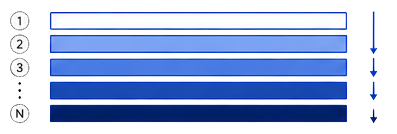
Imaging Moving Objects (Example: High-Speed Rotating Fan)
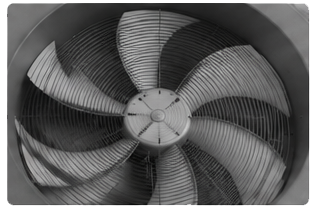
Because different rows are captured at different times, moving objects appear distorted.
Imaging Moving Objects (Example: High-Speed Rotating Fan)
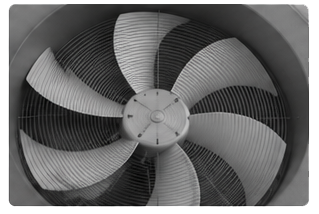
All pixels are captured at the same time, so moving objects are recorded without distortion.
When to Choose
Rolling Shutter:
Cost-sensitive applications, static or slow-moving scenes
Global Shutter:
High-speed motion, machine vision inspection, robotics, traffic monitoring, industrial automation

Engineer Tip
If your application involves fast motion, vibration, or high-speed capture, Global Shutter sensors are highly recommended to ensure accurate measurement and reliable imaging performance.
Monochrome vs Color Sensors
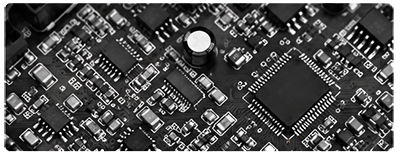
Captures only intensity (brightness) information.
More light is used for luminosity, resulting in higher sensitivity and detail.
Higher Sensitivity
Captures more light, ideal for low-light conditions.
Higher Accuracy
Better edge definition and measurement precision.
Lower Noise
Cleaner images with better signal-to-noise ratio (SNR).
Faster Processing
Smaller data size, faster frame rate and processing.
Captures red, green, and blue (RGB) information.
Provides color detail for more intuitive analysis and inspection.
Color Information
Captures full color for object classification.
Better Visualization
More intuitive images for human visual analysis.
Defect Detection
Easier to identify color differences and surface defects.
Versatile Applications
Suitable for a wide range of general imaging tasks.
| Feature | Monochrome Sensor | Color Sensor |
|---|---|---|
| Light Sensitivity | Higher | Lower |
| Detail & Accuracy | Higher | Moderate |
| Color Information | No | Yes (RGB) |
| Data Size | Smaller | Larger |
| Best For | Precision measurement, inspection | Classification, visual analysis, detection |
When to Choose
Choose Monochrome when you need maximum sensitivity, high accuracy, and low noise.
Choose Color when your application requires color information for object recognition, classification, or visual inspection.
How to Choose a Sensor
Selecting an image sensor requires evaluating application requirements, environmental conditions, and performance goals.
✓ Required field of view
✓ Working distance
✓ Object size
✓ Motion speed
✓ Lighting conditions
✓ Measurement accuracy
✓ AI processing requirements
✓ Camera interface
Common Applications and Sensor Requirements
| Application | Typical Sensor Requirement |
|---|---|
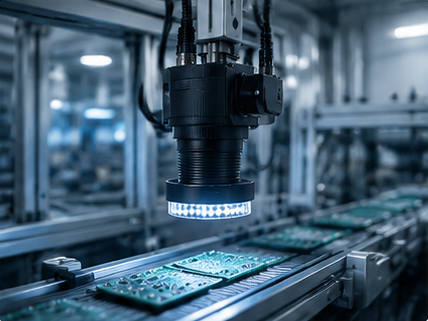
| Machine Vision | High resolution, low distortion |
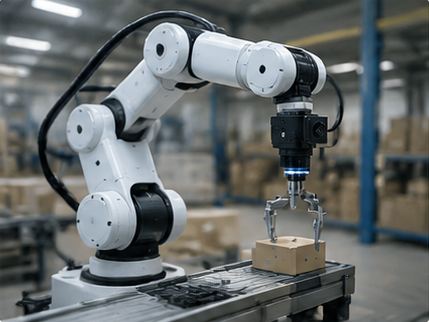
| Robotics Vision | Global shutter, high frame rate |
| ADAS | HDR, high dynamic range |
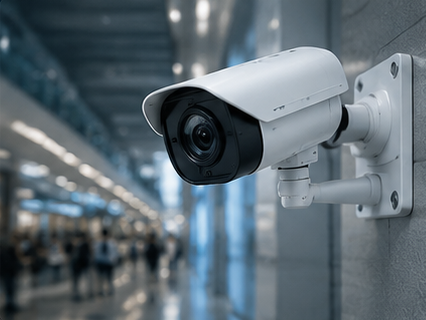
| Smart Security | Low-light sensitivity |
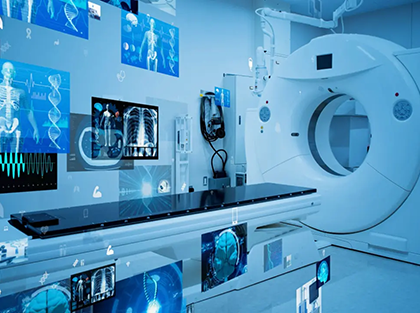
| Medical Imaging | High color accuracy |
| Biometric Recognition | NIR sensitivity |
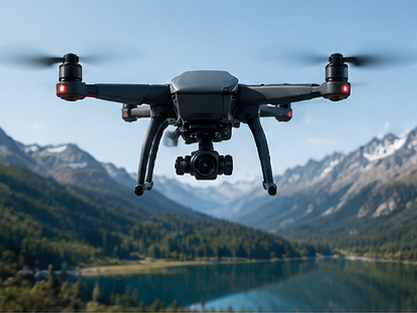
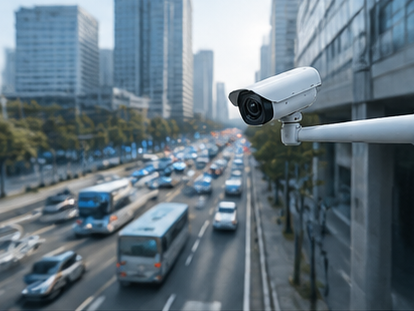
| Smart Traffic | Long-range imaging, HDR |
Different imaging applications require different sensor characteristics. Understanding application requirements helps engineers choose the optimal sensor and lens combination.
Explore Applications
Sensor and Lens Matching
Matching Tips
- ✓ Ensure the lens image circle is larger than the sensor format.
- ✓ Choose the focal length based on required field of view and working distance.
- ✓ Consider resolution, pixel size, and application lighting conditions.
- ✓ For best performance, use high-quality industrial lenses designed for your sensor size.
Lens Image Circle vs Sensor Size
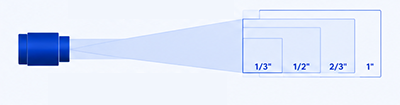
The lens image circle must fully cover the sensor size to avoid vignetting and ensure uniform image quality.
Learn More
Lens Selection Guide
Learn how to select the right industrial lens based on sensor, FOV, WD and resolution.
Read Guide →FOV Calculator
Instantly calculate horizontal/vertical/diagonal field of view parameters.
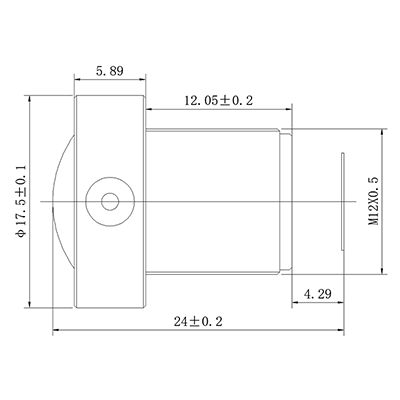
Try Calculator →M12 Lens Solutions
Compact industrial M12 board lenses for robotics, security and AI vision.
Explore M12 Lenses →Need Help Matching Your Sensor and Lens?
Frequently Asked Questions
Explore More Sensor Resources
How Sensor Size Affects Field of View
Global Shutter vs Rolling Shutter: Which One Is Better?
How to Match a Lens to Your Sensor
Pixel Size vs Resolution: Understanding the Trade-Off
Machine Vision Camera Sensor Formats Explained
What Is Image Circle and Why It Matters

Need Help Selecting the Right Lens for Your Sensor?
Towin provides machine vision lenses optimized for a wide range of sensor formats, resolutions, and industrial applications.
✅ Sensor Compatibility Analysis
✅ Lens Recommendation
✅ Optical Design Support
✅ OEM Customization
Let’s Build the Right Optical Solution Together
Have a question, need a quote, or want to discuss your project? Our optical experts are ready to help.

Expert Support
Get professional advice from our optical engineers.

Tailored Solutions
We provide customized lens solutions that fit your application.

Reliable Quality
High-quality manufacturing with strict testing and quality control.

Fast Response
We value your time and will get back to you as soon as possible.
Send Us a Message