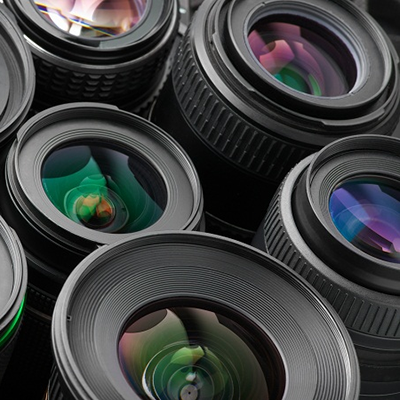



Mega-Pixel FA Lens: Crystal-Clear Imaging
11/05/2025
Submersible Automotive lens
11/05/2025
Fisheye lens are a powerhouse for creative photography, offering ultra-wide angles and dramatic perspectives. However, their signature curved lines and exaggerated distortion can sometimes overshadow the intended subject. If you’ve ever wondered how to use a Fisheye Lens without distortion, you’re not alone.
Understanding Fisheye Lens Distortion
Before tackling distortion, it’s essential to grasp why it occurs. Fisheye lenses use a unique optical design to capture a 180-degree (or wider) field of view. This results in two types of distortion:
- Barrel Distortion: Straight lines near the edges of the frame curve outward, creating a bulging effect.
- Perspective Distortion: Objects closer to the lens appear disproportionately larger than those farther away.
While distortion is often intentional for artistic effect, there are scenarios where a cleaner, more natural look is preferred. Here’s how to use a Fisheye Lens without distortion in those cases.
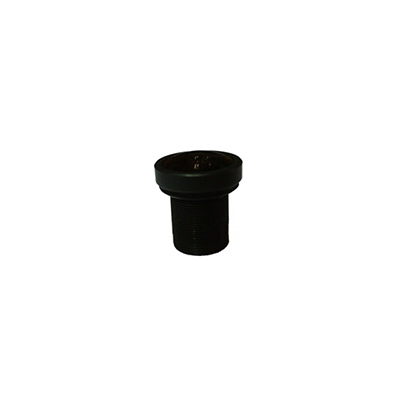
2.55mm ultra-wide-angle fisheye lens
1. Choose the Right Fisheye Lens Type
Not all Fisheye lenses are created equal. There are two primary types:
- Circular Fisheye: Creates a circular image with black borders around the edges, emphasizing extreme curvature.
- Full-Frame Fisheye: Fills the entire frame with a warped but more rectangular image, offering a balance between creativity and practicality.
For distortion-free results, a full-frame Fisheye is generally better. Its design minimizes extreme curvature, making it easier to correct in post-processing.
2. Position Your Subject Strategically
How you use a Fisheye Lens without distortion heavily depends on subject placement. Follow these rules:
- Center Your Subject: Place the main focus in the middle of the frame, where distortion is least noticeable.
- Avoid Edges: Keep critical elements (like faces or text) away from the corners, where curvature is most pronounced.
- Use Leading Lines: Incorporate natural lines (roads, rivers, or buildings) to guide the viewer’s eye toward the center.
3. Shoot at a Higher Focal Length (If Possible)
Some Fisheye lenses, like zoom models, allow you to adjust the focal length. Shooting at the longer end (e.g., 15mm instead of 8mm) reduces the field of view and, consequently, distortion. While this limits the “fisheye effect,” it’s a useful compromise for cleaner images.
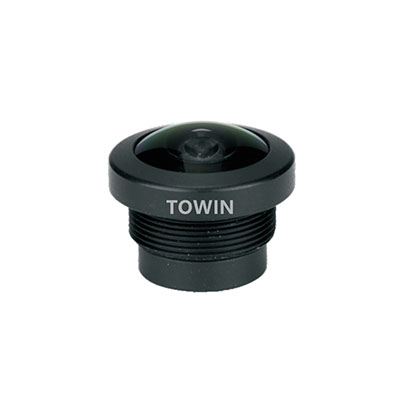
4-Megapixel F2.4 M12 mount fisheye lens
4. Correct Distortion in Post-Processing
Even with careful composition, some distortion may persist. Software like Adobe Lightroom or Photoshop can fix this:
- Open your image in Lightroom and navigate to the Develop Module.
- Scroll to the Lens Corrections panel.
- Check Enable Profile Corrections and select your lens model. Lightroom will automatically apply a correction profile.
- Fine-tune with the Manual tab, adjusting Distortion and Vertical/Horizontal sliders.
For advanced users, Photoshop’s Adaptive Wide Angle filter offers granular control over distortion removal.
5. Use a Tilt-Shift Adapter (For Advanced Users)
A tilt-shift adapter lets you adjust the lens’s orientation relative to the camera sensor, reducing perspective distortion. While primarily used for architectural photography, this tool can also help when learning how to use a Fisheye Lens without distortion. However, this method requires technical knowledge and additional gear.
6. Embrace Minimalism in Composition
Cluttered frames exacerbate distortion. Simplify your shots by:
- Using a plain background (e.g., a clear sky or solid wall).
- Focusing on a single subject with minimal surrounding elements.
- Avoiding busy patterns or textures near the edges.
A minimalist approach ensures the viewer’s attention stays on the subject rather than the distortion.
7. Know When to Accept Distortion
Sometimes, distortion is unavoidable—and that’s okay! Fisheye lenses excel at creating surreal, immersive images. Instead of fighting the curvature, lean into it for artistic effect. For example, shooting a tight indoor space or underwater scenes can benefit from the lens’s exaggerated perspective.

1.1mm Waterproof Fisheye Lens
FAQs
1. What causes distortion in Fisheye lenses?
Distortion arises from the lens’s ultra-wide angle, which bends light to capture a hemispherical view. This results in barrel distortion (curved lines) and perspective distortion (size discrepancies).
2. Can software completely remove Fisheye distortion?
While tools like Lightroom and Photoshop can significantly reduce distortion, they may not eliminate it entirely, especially in extreme cases. Manual adjustments offer the best results.
3. Are prime or zoom Fisheye lenses better for distortion control?
Prime Fisheye lenses typically have less distortion than zoom models, but zoom lenses offer flexibility in focal length. For distortion-free shots, a prime lens is preferable.
4. Is a Fisheye lens worth buying for distortion-free photography?
If you frequently shoot landscapes, architecture, or creative portraits, a Fisheye lens is a valuable addition. However, for strictly distortion-free work, a wide-angle lens might be more practical.
5. How can I practice using a Fisheye Lens without distortion?
Start by shooting simple subjects (e.g., a single tree or a person standing still) and experiment with composition. Gradually move to more complex scenes as you gain confidence.
Final Thoughts
Learning how to use a Fisheye Lens without distortion requires a mix of technical know-how and creative experimentation. By choosing the right lens, positioning subjects thoughtfully, and leveraging post-processing tools, you can achieve striking images that balance the Fisheye’s unique charm with clarity.